Camera or app
Scan card
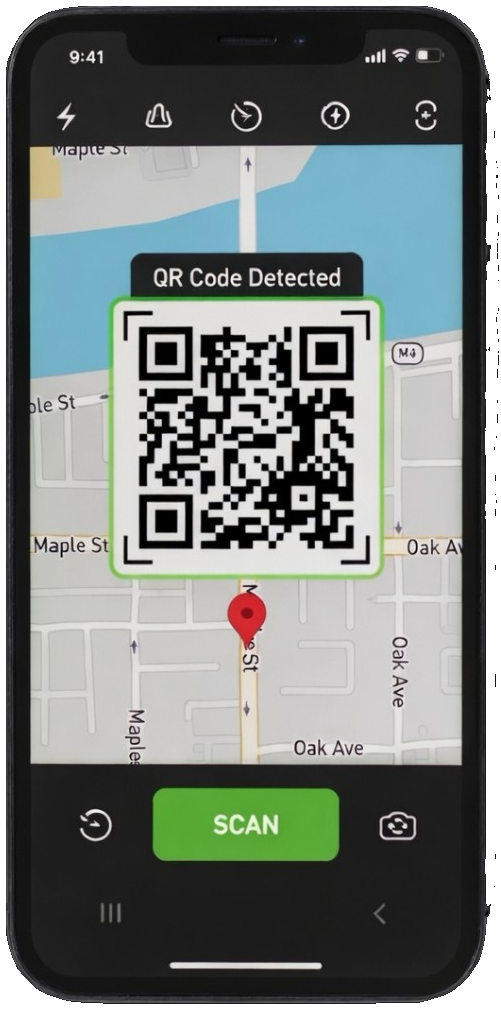
The first card explains the campaign, confirms the QR has been detected, and routes the participant into the right branded flow.
Mobile-first pilot
YRQR v1 works through QR scans, mobile web capture, and the web dashboard, with native iOS and Android companion builds available to pilots through TestFlight and Google Play Internal Testing.
The participant experience
These are the cards participants carry with them in the companion app: scan state, rewards, campaign progress, and the closed-loop summary.
Camera or app
The first card explains the campaign, confirms the QR has been detected, and routes the participant into the right branded flow.
Wallet
Rewards remain visible after the scan, including status, expiry, terms, and the campaign brand that issued them.
Multi-stop journeys
Trails, discovery sets, and clue-based campaigns can show completed stops, next actions, and unlock state.
Closed loop
When the operator publishes back, participants see what was heard and what is being considered next.
Brand customisation
YRQR resolves a complete brand experience at runtime. Every participant-facing surface uses the operator's brand, not YRQR's. The same is true whether a participant uses their phone camera or the YRQR companion app: one experience, one brand.
Configurable per organisation and per campaign. Logo, colours, copy, language, prompt tone. Co-branding for sponsor + venue activations.
Landing screen
Capture screen
Reward wallet
Closed-loop summary
The page a participant arrives at after scanning.
The screen that progresses a participant through clues, stages, or stops.
Voice, text, photo, or video response, in the operator's brand.
The reward the participant takes away, branded as the operator's, not YRQR's.
What the participant sees when the operator publishes back.
Privacy posture
Rewards and summaries are tied to the participant journey, not sold as advertising inventory. Location checks are campaign-controlled and can be disabled for indoor placements.
Read the full privacy approachPilot builds stay in step with the web product for pilot customers.
Scoping a campaign first? Explore campaign types.